


UtechSmart HDMI to USB C Adapter, 4-in-1 USB C Hub, Dual HDMI Adapter with 4K, USB C to USB Adapter for MacBook Pro Air, Dell, HP, Microsoft, Chromebook, Lenovo, iPhone 16 (100W PD USB 3.0)
UtechSmart HDMI to USB C Adapter, 4-in-1 USB C Hub, Dual HDMI Adapter with 4K, USB C to USB Adapter for MacBook Pro Air, Dell, HP, Microsoft, Chromebook, Lenovo, iPhone 16 (100W PD USB 3.0)
Couldn't load pickup availability
- 24/7 Customer Support
- Risk-Free 30-Day Returns
- Fast & Reliable U.S. Shipping
Contact Information
Contact Information
30-Day Hassle-Free Returns
30-Day Hassle-Free Returns
Not satisfied? Return your order within 30 days for a full refund or exchange — simple and easy.
✔ Easy return process
✔ Fast refunds
✔ No hidden conditions
Fast U.S. Shipping
Fast U.S. Shipping
We ship within the United States only — no international delays.
✔ Processing time: 1–2 business days
✔ Delivery time: 3–7 business days
✔ Real-time tracking available
👉 Track your order anytime from the header via Track Order
About This
- * * * *MacOS System ONLY supports MIRROR MODE due to the limitations of Mac itself.* * * 【Dual HDMI Adapter for Multi-Screen Setup】USB C hub multiport adapter comes with a dual monitor setup which maximum single outputs up to 3840*2160@30hz resolution. For Windows systems, it supports dual HDMI display up to 1920*1080/60Hz. The final resolution of HDMI output depends on your host devices. USB C to HDMI adapter using different applications on each screen enhances multitasking and productivity
- 【10+ Systems, 4 in 1 Hub】UtechSmart dual hdmi adapter for 2 monitors is rigorously tested to work flawlessly across All major systems and devices—from your sleek MacBook Pro to the powerful iPhone 16 Pro Max, versatile Windows laptops, and even Google’s latest Chromebooks. Whether you’re a creative pro editing on macOS, a gamer on Steam Deck, or an office warrior juggling Dell/HP/Lenovo, this universal USB c hub is your plug-and-play hero
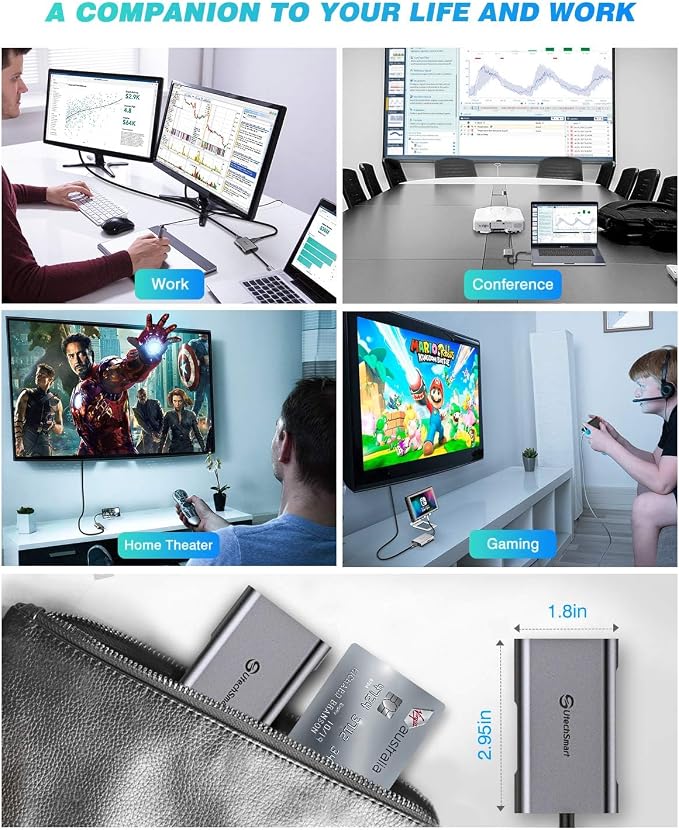
- 【Revolutionary Design】USB C to HDMI Adapter is the unique composition of 2* 4K HDR HDMI ports, 1* USB-A port (up to 5Gbps data transfer), and 1 USB-C power support port (100W fast charging). This versatile dual hdmi to usb c adapter is perfect for office power to extend spreadsheets across dual monitors Windows while charging your laptop. Travel ready to present slides on hotel TV HDMI, backing up photos via USB 3.0. UtechSmart USBC hub offers an unrivaled level of convenience and flexibility
- 【Lightning-Fast 5Gbps USB 3.0】Unlock blazing 5Gbps transfer speeds – 10x faster than USB 2.0! This SuperSpeed USB-A 3.0 port moves HD movies 1GB in just 2 seconds or backs up 1000 photos 10GB in under 30 seconds. Seamlessly connect legacy devices like external HDDs, flash drives, printers, or gaming controllers. Perfect for Photographers – Dump 4K/RAW files mid-shoot. Professionals – USB C to USB adapter to sync large PowerPoint/Excel files between laptops & USB drives. Plug & Play, No Drivers
- 【Total Power Freedom】100W USB-C Power Delivery– charge a MacBook Pro 16" from 0% to 50% in just 1 hour while using all other ports! This USB-C PD charging port delivers full-speed power to laptops, tablets, and phones, turning your 4-in-1 USB C hub into an all-in-one workstation. Intelligent power allocation ensures safe, stable charging for iPhone 15/ Windows laptops
- 【Reliable Customer Support】UtechSmart offers an 18-month maintenance. We're always here to help with 24/7 customer service. If you have any questions or concerns, please don't hesitate to contact us
Overview
- Brand : UtechSmart
- Color : 4 Port
- Hardware Interface : HDMI, USB 3.0, USB Type C
- Special Feature : Fast Data Transfer, Lightweight, Plug and Play, Portable
- Compatible Devices : Keyboards, Laptops < Windows Laptops (equipped with native USB C 3.1 Gen 2 port or Thunderbolt 3/4 Port)and Mac OS >, Monitors, Mouse, Televisions Keyboards, Laptops < Windows Laptops (equipped with native USB C 3.1 Gen 2 port or Thunderbolt 3/4 Port)and Mac OS >, Monitors, Mouse, Televisions




Work Smarter From Home




WHY WORK BETTER WITH US?

10K+
HAPPY WORKSPACES
10+
HOME OFFICE EXPERIENCE
50+
WORKSPACE COLLECTIONS
1000+
PRODUCTIVITY UPGRADES


WHY UPGRADE YOUR HOME OFFICE?


Home Office Questions
Home Office Tips
-

How to Choose the Best Desk Lamp for Your Home ...
The right desk lamp can improve visibility, reduce distracting screen glare, and create a more comfortable home office. This 2026 guide explains how to choose an LED desk lamp based...
How to Choose the Best Desk Lamp for Your Home ...
The right desk lamp can improve visibility, reduce distracting screen glare, and create a more comfortable home office. This 2026 guide explains how to choose an LED desk lamp based...
-

How to Choose the Best Filing Cabinet for a Mor...
Choosing the right filing cabinet can keep important documents organized, secure, and easy to access while reducing home office clutter. This 2026 buyer’s guide explains how to compare filing cabinet...
How to Choose the Best Filing Cabinet for a Mor...
Choosing the right filing cabinet can keep important documents organized, secure, and easy to access while reducing home office clutter. This 2026 buyer’s guide explains how to compare filing cabinet...
-

How to Choose the Best Foot Rest for Your Home ...
A high-quality foot rest can improve posture, reduce pressure on your legs and lower back, and increase comfort during long workdays. This 2026 buyer's guide explains how to compare ergonomic...
How to Choose the Best Foot Rest for Your Home ...
A high-quality foot rest can improve posture, reduce pressure on your legs and lower back, and increase comfort during long workdays. This 2026 buyer's guide explains how to compare ergonomic...


