


ErGear 13 to 49 inches Single Monitor Mount for Ultrawide Screens,Holds 26.5lbs,Heavy Duty Single Monitor Arm,Single Monitor Stand with Swivel,Tilt,Rotation for Home and Office,VESA 75/100mm
ErGear 13 to 49 inches Single Monitor Mount for Ultrawide Screens,Holds 26.5lbs,Heavy Duty Single Monitor Arm,Single Monitor Stand with Swivel,Tilt,Rotation for Home and Office,VESA 75/100mm
Couldn't load pickup availability
- 24/7 Customer Support
- Risk-Free 30-Day Returns
- Fast & Reliable U.S. Shipping
Contact Information
Contact Information
30-Day Hassle-Free Returns
30-Day Hassle-Free Returns
Not satisfied? Return your order within 30 days for a full refund or exchange — simple and easy.
✔ Easy return process
✔ Fast refunds
✔ No hidden conditions
Fast U.S. Shipping
Fast U.S. Shipping
We ship within the United States only — no international delays.
✔ Processing time: 1–2 business days
✔ Delivery time: 3–7 business days
✔ Real-time tracking available
👉 Track your order anytime from the header via Track Order
About This
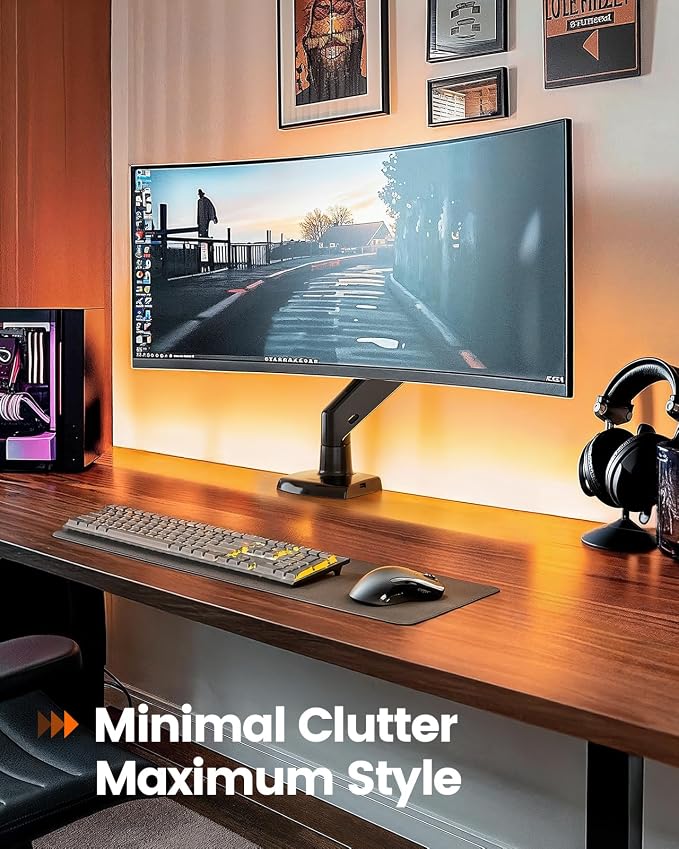
- Engineered for Ultrawide & Curved Monitors:Confidently support premium displays up to 49 inches and 26.5 lbs with aircraft-grade aluminum arms and universal VESA mounts (75x75mm/100x100mm),rock-solid stability even at full extension.
- Fluid Full-Motion Control:Effortlessly tilt (+85°/-30°), swivel 360°, or rotate 180° for the perfect view. Extend the arm 26.5" forward and adjust height by 21"—ideal for multi-screen setups, standing desks, or small offices.
- Built-In USB 3.0 Hub + Hidden Cable Management:Charge devices at high speed with front-access USB ports while integrated clips route cables cleanly through the arm—no more crawling under the desk to manage wires!
- Posture-Perfect Eye-Level Positioning:Instantly raise your screen to reduce neck strain and align with natural sightlines. Switch between sitting/standing in seconds for all-day comfort during 12-hour workdays.
- 10-Minute Hassle-Free Setup:Secure to desks (0.39"-3.54" thick) with no tools needed—just choose the C-clamp or grommet base. From box to ready in under 10 minutes.
Overview
- Mounting Type : C-clamp or optional grommet mount
- Movement Type : Swivel, Tilt, Rotate, Height adjustment
- Brand : ErGear
- Material : Aluminum
- Color : Black
- Compatible Devices : Monitor
- Maximum Tilt Angle : 45 Degrees
- Manufacturer : Ergear
- Number of Items : 1




Work Smarter From Home




WHY WORK BETTER WITH US?

10K+
HAPPY WORKSPACES
10+
HOME OFFICE EXPERIENCE
50+
WORKSPACE COLLECTIONS
1000+
PRODUCTIVITY UPGRADES


WHY UPGRADE YOUR HOME OFFICE?


Home Office Questions
Home Office Tips
-

How to Choose the Best Desk Lamp for Your Home ...
The right desk lamp can improve visibility, reduce distracting screen glare, and create a more comfortable home office. This 2026 guide explains how to choose an LED desk lamp based...
How to Choose the Best Desk Lamp for Your Home ...
The right desk lamp can improve visibility, reduce distracting screen glare, and create a more comfortable home office. This 2026 guide explains how to choose an LED desk lamp based...
-

How to Choose the Best Filing Cabinet for a Mor...
Choosing the right filing cabinet can keep important documents organized, secure, and easy to access while reducing home office clutter. This 2026 buyer’s guide explains how to compare filing cabinet...
How to Choose the Best Filing Cabinet for a Mor...
Choosing the right filing cabinet can keep important documents organized, secure, and easy to access while reducing home office clutter. This 2026 buyer’s guide explains how to compare filing cabinet...
-

How to Choose the Best Foot Rest for Your Home ...
A high-quality foot rest can improve posture, reduce pressure on your legs and lower back, and increase comfort during long workdays. This 2026 buyer's guide explains how to compare ergonomic...
How to Choose the Best Foot Rest for Your Home ...
A high-quality foot rest can improve posture, reduce pressure on your legs and lower back, and increase comfort during long workdays. This 2026 buyer's guide explains how to compare ergonomic...


