


Maxonar [Next-Gen Chip VR Charging Link Cable 16FT Compatible with Meta 3S/3/Oculus 2/Pico 4 Accessories and PC/SteamVR, Awesome Gift-5Gbps USB 3.0 to USB C Cable-Black
Maxonar [Next-Gen Chip VR Charging Link Cable 16FT Compatible with Meta 3S/3/Oculus 2/Pico 4 Accessories and PC/SteamVR, Awesome Gift-5Gbps USB 3.0 to USB C Cable-Black
Couldn't load pickup availability
- 24/7 Customer Support
- Risk-Free 30-Day Returns
- Fast & Reliable U.S. Shipping
Contact Information
Contact Information
30-Day Hassle-Free Returns
30-Day Hassle-Free Returns
Not satisfied? Return your order within 30 days for a full refund or exchange — simple and easy.
✔ Easy return process
✔ Fast refunds
✔ No hidden conditions
Fast U.S. Shipping
Fast U.S. Shipping
We ship within the United States only — no international delays.
✔ Processing time: 1–2 business days
✔ Delivery time: 3–7 business days
✔ Real-time tracking available
👉 Track your order anytime from the header via Track Order
About This
- [Latest Charging Chip] Maxonar vr link cable features the latest 18W charging port with a significantly upgraded internal charging board compatible with Meta 3S/3/2, allowing for a seamless experience of charging while gaming. For optimal charging performance, it is recommended to use an official or higher power charger. Please do not use this cable for charging phones, tablets, or laptops. To achieve fast charging, your charger needs to support fast charging functionality
- [Compatible with Meta 3S/3/2/Pico4] This link cable connects your VR devices to a gaming PC, providing an exceptional PC VR gaming experience. Ensure that the USB-A port is plugged into your computer’s USB 3.0/3.1/3.2 port. If the device is recognized as USB 2.0 or cannot connect, please make sure to update your VR headset system and PC Link software to the latest versions and then restart the devices
- [Safer for Battery Life] Equipped with a SmartProtect3.0 chip and a fourth-generation safety chip that balances current and data transmission. According to Quest-charging protocols, when the battery exceeds 65%, the charging power will automatically reduce, helping to extend battery life and minimize heat generation. If the battery is low, reinserting the charger can enable fast charging
- [USB 3.0-5Gbps] This is a USB 3.2 Gen1 (USB 3.0) link cable that supports a 5Gbps transmission speed. When connected to the device, it can achieve a bandwidth of 2.5-3.2Gbps (depending on your computer’s performance), supporting higher resolutions and refresh rates to provide ample bandwidth for a high-quality VR experience
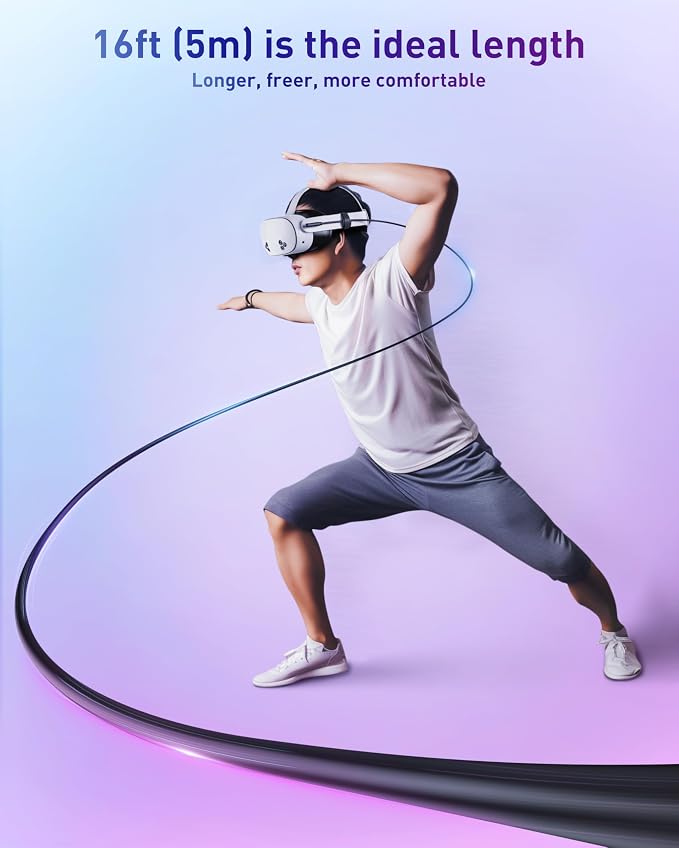
- [16ft High-Quality Flexibility] Made from highly durable materials, this cable features excellent stretch and abrasion resistance. With a length of 16ft, it allows ample space for free movement while gaming in VR. The reinforced L-shaped Type-C connector and anti-slip design ensure reliable performance over long-term use without worrying about breaks or wear. The unique Velcro strap keeps a stable connection during intense gameplay
- [Perfect Gift Choice] Maxonar offers a 36-month worry-free guarantee and friendly customer service support for this link cable. If you’re unsure what gift to choose, why not consider the Maxonar Charging Link Cable?
Overview
- Brand : Maxonar
- Connector Type : Usb 3.0 a to Usb C
- Cable Type : USB
- Compatible Devices : Meta 3S, Meta 3, Oculus 2, PC VR Steam VR, Pico 4, Pico 4 Ultra, Pico 4 Pro, Pico 4 Enterprise
- Special Feature : 16ft Long Cable, Fast Charging, High Speed, Lightweight and Flexible, Velcro strap+Reinforced L-shaped Type-C connector/Anti-slip design 16ft Long Cable, Fast Charging, High Speed, Lightweight and Flexible, Velcro strap+Reinforced L-shaped Type-C connector/Anti-slip design




Work Smarter From Home




WHY WORK BETTER WITH US?

10K+
HAPPY WORKSPACES
10+
HOME OFFICE EXPERIENCE
50+
WORKSPACE COLLECTIONS
1000+
PRODUCTIVITY UPGRADES


WHY UPGRADE YOUR HOME OFFICE?


Home Office Questions
Home Office Tips
-

How to Choose the Best Desk Lamp for Your Home ...
The right desk lamp can improve visibility, reduce distracting screen glare, and create a more comfortable home office. This 2026 guide explains how to choose an LED desk lamp based...
How to Choose the Best Desk Lamp for Your Home ...
The right desk lamp can improve visibility, reduce distracting screen glare, and create a more comfortable home office. This 2026 guide explains how to choose an LED desk lamp based...
-

How to Choose the Best Filing Cabinet for a Mor...
Choosing the right filing cabinet can keep important documents organized, secure, and easy to access while reducing home office clutter. This 2026 buyer’s guide explains how to compare filing cabinet...
How to Choose the Best Filing Cabinet for a Mor...
Choosing the right filing cabinet can keep important documents organized, secure, and easy to access while reducing home office clutter. This 2026 buyer’s guide explains how to compare filing cabinet...
-

How to Choose the Best Foot Rest for Your Home ...
A high-quality foot rest can improve posture, reduce pressure on your legs and lower back, and increase comfort during long workdays. This 2026 buyer's guide explains how to compare ergonomic...
How to Choose the Best Foot Rest for Your Home ...
A high-quality foot rest can improve posture, reduce pressure on your legs and lower back, and increase comfort during long workdays. This 2026 buyer's guide explains how to compare ergonomic...


