


Pro HD 1080p/30fps Webcam with Tripod, External USB-C Camera for PC/Laptop | Dual noise-cancelling mics | Auto-focus | Wide-angle | Low-light correction | 360° rotation | CMOS sensor | Plug and Play
Pro HD 1080p/30fps Webcam with Tripod, External USB-C Camera for PC/Laptop | Dual noise-cancelling mics | Auto-focus | Wide-angle | Low-light correction | 360° rotation | CMOS sensor | Plug and Play
Couldn't load pickup availability
- 24/7 Customer Support
- Risk-Free 30-Day Returns
- Fast & Reliable U.S. Shipping
Contact Information
Contact Information
30-Day Hassle-Free Returns
30-Day Hassle-Free Returns
Not satisfied? Return your order within 30 days for a full refund or exchange — simple and easy.
✔ Easy return process
✔ Fast refunds
✔ No hidden conditions
Fast U.S. Shipping
Fast U.S. Shipping
We ship within the United States only — no international delays.
✔ Processing time: 1–2 business days
✔ Delivery time: 3–7 business days
✔ Real-time tracking available
👉 Track your order anytime from the header via Track Order
About This
- The usb c webcam is powered by a high-performance CMOS image sensor, ensuring you always see crisp and clear image. | 1080p resolution at 30 frames per second delivers smooth and lag-free video output—perfect for professional-grade video calls.
- Dual integrated microphones capture pristine sound up to 10 feet away, enhancing your voice to make it loud and clear. | Dual noise-cancelling microphones pick up your voice clearly while filtering out background noise for uninterrupted conversations.
- Fast auto-focus keeps your face in focus and center stage, even during dynamic moments. | Low-light correction automatically brightens the image, even in dimmer rooms. | A wide-angle lens captures a broader field of view to display your full workspace.
- The web camera features 360° rotation, allowing you to find the perfect viewing angle. | A privacy shutter provides peace of mind by covering the lens, no accidental video recording. | Easily use the mounting clip to attach the camera directly to your PC monitor or laptop.
- Place the web cam on the included tripod on your desk to adjust the height precisely to your preference. | The aluminum tripod is sturdy and stable, featuring a universal 1/4-inch screw. | The folding design allows the tripod to fit easily into your backpack for traveling.
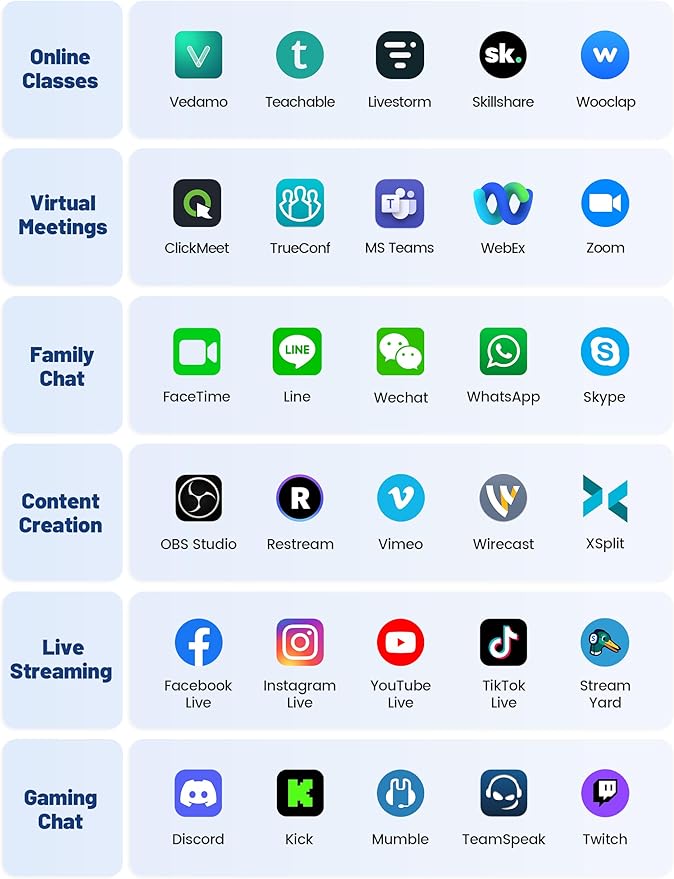
- Works with Windows XP/7/8/10/11, Mac OS, Chrome OS, Vista, and Linux 2.6 or later. | Works seamlessly with Zoom, WebEx, MS Teams, Google Meet, OBS Studio, YouTube, FaceTime, WhatsApp, Skype, XSplit, Facebook, Tiktok, Twitch, Discord, and more.
- Perfect for recording, video conferencing, remote work, webinars, online meetings, online classes, content creation, live streaming, and video game streaming. | Customer satisfaction is our top priority, which is why we offer prompt support for claims and technical assistance.
Overview
- Brand : RUWBY
- Photo Sensor Technology : CMOS
- Video Capture Resolution : 1080p
- Maximum Focal Length : 1100 Millimeters
- Maximum Aperture : 2.2 f
- Flash Memory Type : SmartMedia
- Video Capture Format : MP4
- Supported Audio Format : MP3, WAV
- Screen Size : 0.33 Inches
- Connectivity Technology : USB Type-C 2.0/3.0




Work Smarter From Home




WHY WORK BETTER WITH US?

10K+
HAPPY WORKSPACES
10+
HOME OFFICE EXPERIENCE
50+
WORKSPACE COLLECTIONS
1000+
PRODUCTIVITY UPGRADES


WHY UPGRADE YOUR HOME OFFICE?


Home Office Questions
Home Office Tips
-

How to Choose the Best Desk Lamp for Your Home ...
The right desk lamp can improve visibility, reduce distracting screen glare, and create a more comfortable home office. This 2026 guide explains how to choose an LED desk lamp based...
How to Choose the Best Desk Lamp for Your Home ...
The right desk lamp can improve visibility, reduce distracting screen glare, and create a more comfortable home office. This 2026 guide explains how to choose an LED desk lamp based...
-

How to Choose the Best Filing Cabinet for a Mor...
Choosing the right filing cabinet can keep important documents organized, secure, and easy to access while reducing home office clutter. This 2026 buyer’s guide explains how to compare filing cabinet...
How to Choose the Best Filing Cabinet for a Mor...
Choosing the right filing cabinet can keep important documents organized, secure, and easy to access while reducing home office clutter. This 2026 buyer’s guide explains how to compare filing cabinet...
-

How to Choose the Best Foot Rest for Your Home ...
A high-quality foot rest can improve posture, reduce pressure on your legs and lower back, and increase comfort during long workdays. This 2026 buyer's guide explains how to compare ergonomic...
How to Choose the Best Foot Rest for Your Home ...
A high-quality foot rest can improve posture, reduce pressure on your legs and lower back, and increase comfort during long workdays. This 2026 buyer's guide explains how to compare ergonomic...


