


AULA WIN68 HE MAX - Hall Effect Gaming Keyboard with Magnetic Switch, Adjustable Actuation Fast Trigger Mode, 8KHz Polling Rate, RGB Backlit Wired Mechanical Gaming Keyboard 60 Percent
AULA WIN68 HE MAX - Hall Effect Gaming Keyboard with Magnetic Switch, Adjustable Actuation Fast Trigger Mode, 8KHz Polling Rate, RGB Backlit Wired Mechanical Gaming Keyboard 60 Percent
Couldn't load pickup availability
- 24/7 Customer Support
- Risk-Free 30-Day Returns
- Fast & Reliable U.S. Shipping
Contact Information
Contact Information
30-Day Hassle-Free Returns
30-Day Hassle-Free Returns
Not satisfied? Return your order within 30 days for a full refund or exchange — simple and easy.
✔ Easy return process
✔ Fast refunds
✔ No hidden conditions
Fast U.S. Shipping
Fast U.S. Shipping
We ship within the United States only — no international delays.
✔ Processing time: 1–2 business days
✔ Delivery time: 3–7 business days
✔ Real-time tracking available
👉 Track your order anytime from the header via Track Order
About This
- Fast Trigger Gaming Keyboard: AULA WIN68 HE MAX magnetic gaming keyboard offers an industry-leading 8,000Hz polling rate and 8x faster response time than traditional mechanical keyboard. Combined with ultra-low latency (0.2ms), it ensures your commands take effect instantly, giving you an edge in the game. The fast trigger keyboard is perfect for gamers and coders, greatly enhancing the gaming experience and work efficiency.
- Hall Effect Keyboard with Magnetic Switch: Equipped with advanced hall effect magnetic switches, the WIN68 HE MAX gaming keyboard offers adjustable actuation point(0.01mm-3.3mm), and each key can be personalized to the smallest unit of 0.1 mm, providing an ultra-precise keying experience. In addition, press/reset sensitivity can be individually set via software to match the keystroke habits of different people in different types of games
- Customizable Web Driver: The mechanical gaming keyboard is equipped with a professional web driver that allows users to customize RT/SOCD/DKS/MT/TGL functions, key mapping, macro editing, RGB lighting and other settings on windows systems without downloading(This driver does not support MAC, only compatible with Windows system). It provides one-stop management of the keyboard, allowing users to truly experience customization and personalization. Web driver connection: bit.ly/m/AULA
- 16.8 Million RGB Backlit keyboard: The light up keyboard features 16.8 million colors of RGB lighting effects with south-facing LEDs for a better visual experience. 14 preset lighting effects add a great ambience to your games. Lighting effects and brightness can be easily adjusted via driver or FN and key combinations. The backlight can be turned off if not needed
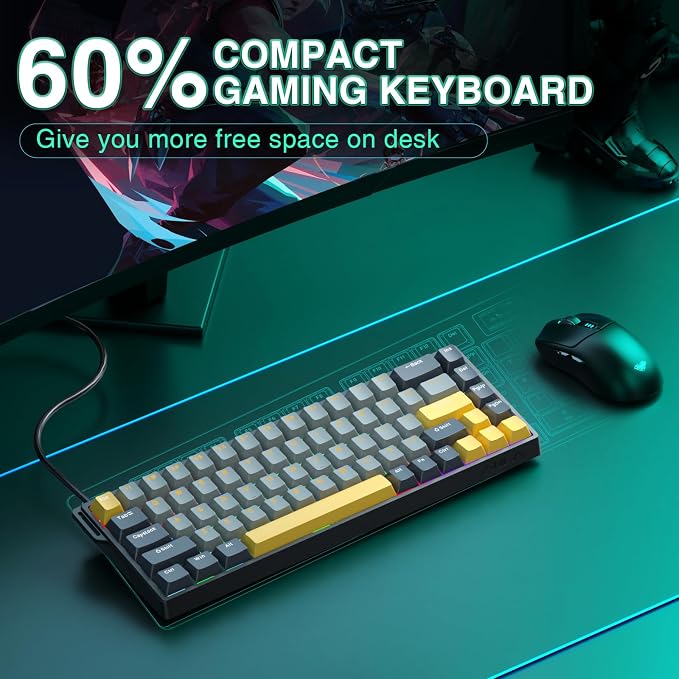
- 60% Compact Wired Keyboard: Designed for professional gamers, the 60% gaming keyboard saves up to 40% of desktop space while retaining the arrow keys and basic function keys. FN and key combinations unlock all keyboard commands. The 68-key wired gaming keyboard with detachable USB cable provides gamers with a more stable connection and greatly enhances the gaming experience. The small size and lightweight design make it easier to carry and perfect for business trip
Overview
- Brand : AULA
- Compatible Devices : Gaming Console, Laptop, PC
- Connectivity Technology : USB-C
- Keyboard Description : Gaming
- Recommended Uses For Product : Business, Education, Everyday Use, Gaming, Multimedia, Personal, Photo Editing, Programming, Student, Video Editing Business, Education, Everyday Use, Gaming, Multimedia, Personal, Photo Editing, Programming, Student, Video Editing
- Special Feature : Backlit, Portable, Programmable Keys, Rechargeable
- Color : Grey&Yellow-Max Version
- Keyboard backlighting color support : RGB
- Style : Contemporary
- Material : Plastic




Work Smarter From Home




WHY WORK BETTER WITH US?

10K+
HAPPY WORKSPACES
10+
HOME OFFICE EXPERIENCE
50+
WORKSPACE COLLECTIONS
1000+
PRODUCTIVITY UPGRADES


WHY UPGRADE YOUR HOME OFFICE?


Home Office Questions
Home Office Tips
-

How to Choose the Best Desk Lamp for Your Home ...
The right desk lamp can improve visibility, reduce distracting screen glare, and create a more comfortable home office. This 2026 guide explains how to choose an LED desk lamp based...
How to Choose the Best Desk Lamp for Your Home ...
The right desk lamp can improve visibility, reduce distracting screen glare, and create a more comfortable home office. This 2026 guide explains how to choose an LED desk lamp based...
-

How to Choose the Best Filing Cabinet for a Mor...
Choosing the right filing cabinet can keep important documents organized, secure, and easy to access while reducing home office clutter. This 2026 buyer’s guide explains how to compare filing cabinet...
How to Choose the Best Filing Cabinet for a Mor...
Choosing the right filing cabinet can keep important documents organized, secure, and easy to access while reducing home office clutter. This 2026 buyer’s guide explains how to compare filing cabinet...
-

How to Choose the Best Foot Rest for Your Home ...
A high-quality foot rest can improve posture, reduce pressure on your legs and lower back, and increase comfort during long workdays. This 2026 buyer's guide explains how to compare ergonomic...
How to Choose the Best Foot Rest for Your Home ...
A high-quality foot rest can improve posture, reduce pressure on your legs and lower back, and increase comfort during long workdays. This 2026 buyer's guide explains how to compare ergonomic...


