


MSNSwitch2 Internet Enabled IP Remote Power Switch w/Auto Reboot, Schedule
MSNSwitch2 Internet Enabled IP Remote Power Switch w/Auto Reboot, Schedule
Couldn't load pickup availability
- 24/7 Customer Support
- Risk-Free 30-Day Returns
- Fast & Reliable U.S. Shipping
Contact Information
Contact Information
30-Day Hassle-Free Returns
30-Day Hassle-Free Returns
Not satisfied? Return your order within 30 days for a full refund or exchange — simple and easy.
✔ Easy return process
✔ Fast refunds
✔ No hidden conditions
Fast U.S. Shipping
Fast U.S. Shipping
We ship within the United States only — no international delays.
✔ Processing time: 1–2 business days
✔ Delivery time: 3–7 business days
✔ Real-time tracking available
👉 Track your order anytime from the header via Track Order
About This
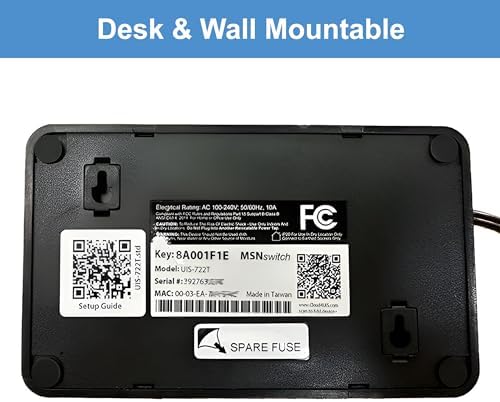
- Monitors Internet Connectivity and Automatically Cycles One or Both Outlets When Connection is Lost + User Definable Scheduled Power Cycling
- Functional Out of the Box - Single Button Press Enables Auto Reset Function with Settings Appropriate for Most Situations
- Automatically Control and Reboot any Remote Electrical Equipment such as Computers, Modems, Routers, DVRs, PLCs, Industrial Computers, etc.
- Configure & Control Remotely Over the Internet via ezDevice Smartphone App, Cloud4UIS Web Service, any Web Browser or its API
- Pings Multiple Internet Sites to Determine Online Status - User Definable Targets & Fault Tolerance
Overview
- Operation Mode : ON-OFF-ON
- Current Rating : 10 A
- Operating Voltage : 120 volts
- Contact Type : Normally Closed
- Connector Type : Plug In
- Brand : Proxicast
- Switch Type : Push Button
- Terminal : Blade
- Material : Plastic
- Item dimensions L x W x H : 6 x 3.5 x 1.5 inches




Work Smarter From Home




WHY WORK BETTER WITH US?

10K+
HAPPY WORKSPACES
10+
HOME OFFICE EXPERIENCE
50+
WORKSPACE COLLECTIONS
1000+
PRODUCTIVITY UPGRADES


WHY UPGRADE YOUR HOME OFFICE?


Home Office Questions
Home Office Tips
-

How to Choose the Best Monitor Light Bar for Yo...
Upgrade your home office lighting with the right monitor light bar. This 2026 buying guide explains how to choose the best LED monitor light bar based on brightness, adjustable color...
How to Choose the Best Monitor Light Bar for Yo...
Upgrade your home office lighting with the right monitor light bar. This 2026 buying guide explains how to choose the best LED monitor light bar based on brightness, adjustable color...
-

How to Choose the Best Under-Desk Drawer Organi...
Maximize your workspace with the right under desk drawer organizer. This 2026 buying guide explains how to choose the best under desk storage solution based on drawer size, storage capacity,...
How to Choose the Best Under-Desk Drawer Organi...
Maximize your workspace with the right under desk drawer organizer. This 2026 buying guide explains how to choose the best under desk storage solution based on drawer size, storage capacity,...
-

How to Choose the Best Desk Mat for Your Home O...
The right desk mat can protect your desktop while creating a cleaner, more comfortable workspace for your keyboard, mouse, laptop, and everyday accessories. This 2026 guide explains how to choose...
How to Choose the Best Desk Mat for Your Home O...
The right desk mat can protect your desktop while creating a cleaner, more comfortable workspace for your keyboard, mouse, laptop, and everyday accessories. This 2026 guide explains how to choose...


