


2K Webcam PC Webcam with Microphone and Physical Privacy Cover, Noise-Canceling Microphone, Auto Light Correction, Wide Angle, Plug and Play for Conferences/Online Classes/Live Streaming/Zoom/Teams
2K Webcam PC Webcam with Microphone and Physical Privacy Cover, Noise-Canceling Microphone, Auto Light Correction, Wide Angle, Plug and Play for Conferences/Online Classes/Live Streaming/Zoom/Teams
Couldn't load pickup availability
- 24/7 Customer Support
- Risk-Free 30-Day Returns
- Fast & Reliable U.S. Shipping
Contact Information
Contact Information
30-Day Hassle-Free Returns
30-Day Hassle-Free Returns
Not satisfied? Return your order within 30 days for a full refund or exchange — simple and easy.
✔ Easy return process
✔ Fast refunds
✔ No hidden conditions
Fast U.S. Shipping
Fast U.S. Shipping
We ship within the United States only — no international delays.
✔ Processing time: 1–2 business days
✔ Delivery time: 3–7 business days
✔ Real-time tracking available
👉 Track your order anytime from the header via Track Order
About This
- 【Clear 2K picture quality + stable performance for office/conference/classroom】 Experience sharper and more natural video with 2K resolution for realistic, smooth, and clear image quality. Whether you are in a work meeting, teaching online, remote interviewing, or chatting with family and friends, this webcam delivers stable performance and a professional on-camera look. With enhanced image clarity and better detail than standard 1080P, it is ideal for home office, remote collaboration, online classes, and live streaming.
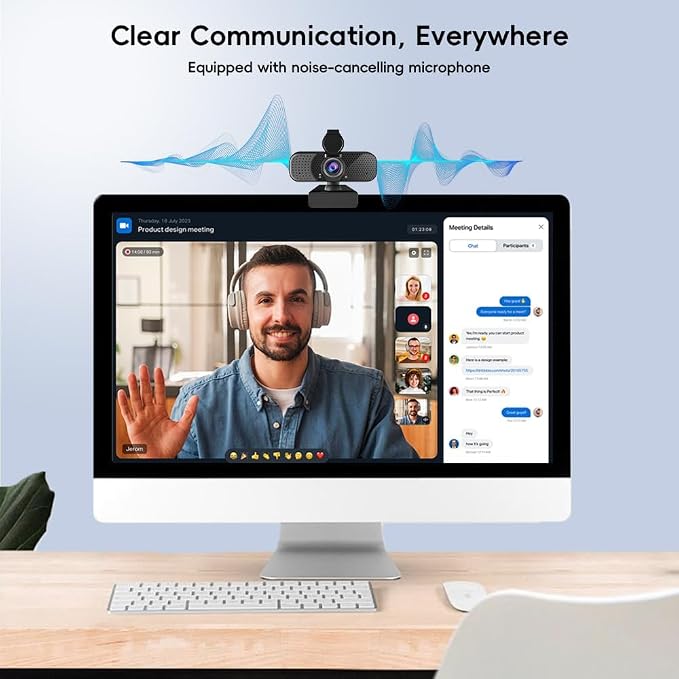
- 【Noise-canceling microphone for clearer voice and easier communication】 The built-in noise-canceling microphone helps reduce common background sounds such as keyboard typing, fan noise, and other distractions, so your voice can be heard more clearly during calls and meetings. Perfect for Zoom meetings, online training, remote interviews, and live communication, this webcam with microphone gives you a more natural and efficient communication experience without needing extra audio equipment.
- 【Privacy protection design for more peace of mind】 This webcam is equipped with a physical privacy cover, giving you better control over when the camera is active. After a meeting, class, or livestream, simply slide the cover closed to block the lens instantly. It helps protect your privacy at home or in the office while also keeping the lens cleaner when the webcam is not in use.
- 【Plug and play, no driver installation required】 With USB plug-and-play design, there is no need to install extra software or manually set up drivers. Just connect the webcam and start using it in seconds. Compatible with Windows, Mac, ChromeOS, and most laptops and desktop PCs, it is a practical choice for daily work, study, conferencing, and online communication.
- 【Low-light optimization for clearer video in dim environments】 The webcam features automatic low-light correction to improve brightness and image balance when lighting conditions are not ideal. Even in darker rooms or late-evening video calls, it helps keep your face visible, clear, and natural-looking. This makes it a dependable low light webcam for home office, study setups, and everyday online meetings.
- 【Flexible mounting structure for different setup needs】 Designed with an adjustable clip and a stable base, this webcam can be easily mounted on laptops, screens, or placed on a desk. The flexible structure helps you quickly adjust to a more suitable angle for meetings, teaching, recording, or streaming. It also supports a variety of desktop and home office setups, making it convenient for everyday use.
Overview
- Brand : Kemeiv
- Photo Sensor Technology : CMOS
- Video Capture Resolution : 2K
- Maximum Focal Length : 3.2 Millimeters
- Maximum Aperture : 3.2 f
- Flash Memory Type : SDHC
- Video Capture Format : MP4
- Supported Audio Format : AAC, MP3
- Screen Size : 3.6 Inches
- Connectivity Technology : USB




Work Smarter From Home




WHY WORK BETTER WITH US?

10K+
HAPPY WORKSPACES
10+
HOME OFFICE EXPERIENCE
50+
WORKSPACE COLLECTIONS
1000+
PRODUCTIVITY UPGRADES


WHY UPGRADE YOUR HOME OFFICE?


Home Office Questions
Home Office Tips
-

How to Choose the Best Desk Lamp for Your Home ...
The right desk lamp can improve visibility, reduce distracting screen glare, and create a more comfortable home office. This 2026 guide explains how to choose an LED desk lamp based...
How to Choose the Best Desk Lamp for Your Home ...
The right desk lamp can improve visibility, reduce distracting screen glare, and create a more comfortable home office. This 2026 guide explains how to choose an LED desk lamp based...
-

How to Choose the Best Filing Cabinet for a Mor...
Choosing the right filing cabinet can keep important documents organized, secure, and easy to access while reducing home office clutter. This 2026 buyer’s guide explains how to compare filing cabinet...
How to Choose the Best Filing Cabinet for a Mor...
Choosing the right filing cabinet can keep important documents organized, secure, and easy to access while reducing home office clutter. This 2026 buyer’s guide explains how to compare filing cabinet...
-

How to Choose the Best Foot Rest for Your Home ...
A high-quality foot rest can improve posture, reduce pressure on your legs and lower back, and increase comfort during long workdays. This 2026 buyer's guide explains how to compare ergonomic...
How to Choose the Best Foot Rest for Your Home ...
A high-quality foot rest can improve posture, reduce pressure on your legs and lower back, and increase comfort during long workdays. This 2026 buyer's guide explains how to compare ergonomic...


