


1080P Webcam with Microphone, Full HD Web Camera with RGB Light for Pc, Light Correction and Noise Cancellation Streaming Webcam, USB Computer Camera with Privacy Cover ,Plug and Play PC Web Cam
1080P Webcam with Microphone, Full HD Web Camera with RGB Light for Pc, Light Correction and Noise Cancellation Streaming Webcam, USB Computer Camera with Privacy Cover ,Plug and Play PC Web Cam
Couldn't load pickup availability
- 24/7 Customer Support
- Risk-Free 30-Day Returns
- Fast & Reliable U.S. Shipping
Contact Information
Contact Information
30-Day Hassle-Free Returns
30-Day Hassle-Free Returns
Not satisfied? Return your order within 30 days for a full refund or exchange — simple and easy.
✔ Easy return process
✔ Fast refunds
✔ No hidden conditions
Fast U.S. Shipping
Fast U.S. Shipping
We ship within the United States only — no international delays.
✔ Processing time: 1–2 business days
✔ Delivery time: 3–7 business days
✔ Real-time tracking available
👉 Track your order anytime from the header via Track Order
About This
- 【Ultra-Stable 1080P HD Visuals】Webcam for pc experience uncompromising clarity with Full HD 1080P resolution (1920x1080) at 30fps. Our precision-engineered fixed-focus lens is optimized to keep you in sharp focus instantly from 1.6ft to 10ft. Unlike web cam that struggle with "focus hunting" and cause distracting blurs during movement, the K2 computer camera ensures a rock-solid, professional image for online proctoring, teaching, and high-stakes presentations.
- 【Dual-Layer Privacy: Physical & Visual Guard】Your security is now visible. The K2 camera for computer features a built-in sliding privacy shutter for total physical protection. Enhanced with a unique Smart Sync Indicator Light, the stylish blue ambient glow activates only when the camera is in use and shuts off instantly when disconnected. This dual-layer system ensures you are always in control of your privacy—if the light is off, your privacy is 100% secure.
- 【Dual AI Stereo Mics with Noise Reduction】Upgrade your audio to studio standards. Equipped with dual integrated AI-powered microphones, this webcam with microphone captures your natural voice from every angle while intelligently filtering out background noise like keyboard clicks and fan hums. Deliver crisp, localized audio that makes your audience feel like you are in the same room, perfect for Zoom, Microsoft Teams, and Google Meet.
- 【360° Pro-Flex Design & Flexible FOV】Usb camera achieve the perfect angle on any setup. The K2 features a sophisticated three-axis adjustment system: 360° horizontal rotation, 180° foldable non-slip base, and 15° vertical tilt. Whether you need a focused 75° view for private reports or a wider 90° field of view for boardroom presentations, this webcam adapts seamlessly to ultra-thin laptops, curved monitors, or tripod mounts.
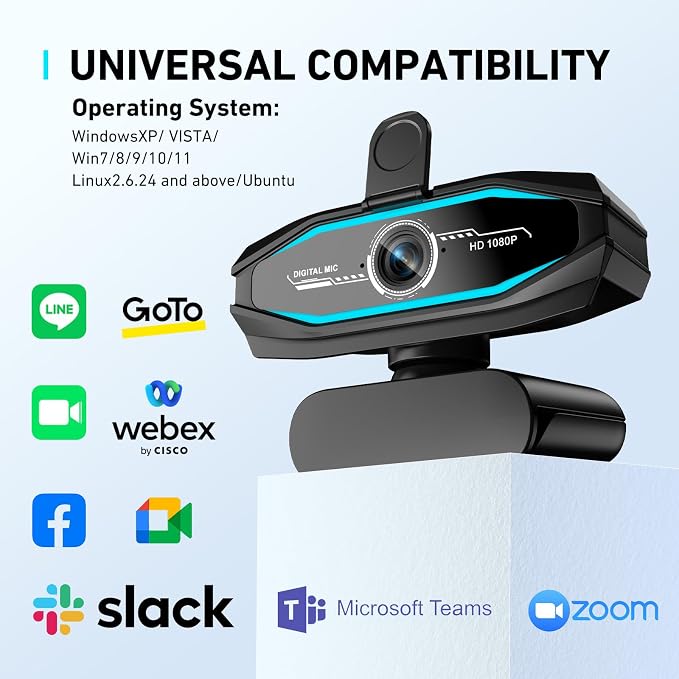
- 【Instant Plug-and-Play & Universal Ready】This laptop camera no software, no drivers, no hassle. Simply plug the USB 2.0 cable into your device and go live in seconds. Engineered for seamless compatibility with Windows XP/7/8/10/11, Mac OS, and Chrome OS. Its versatile architecture works flawlessly across all mainstream platforms including Skype, Slack, Webex, and YouTube, providing the ultimate "out-of-the-box" professional video solution.
Overview
- Brand : Diccik
- Photo Sensor Technology : NMOS
- Video Capture Resolution : 1080p
- Maximum Focal Length : 1080 Millimeters
- Maximum Aperture : 3.5 Millimeters
- Flash Memory Type : MicroSDHC
- Video Capture Format : AVCHD
- Screen Size : 2.7 Inches
- Connectivity Technology : USB
- Special Feature : No installation required




Work Smarter From Home




WHY WORK BETTER WITH US?

10K+
HAPPY WORKSPACES
10+
HOME OFFICE EXPERIENCE
50+
WORKSPACE COLLECTIONS
1000+
PRODUCTIVITY UPGRADES


WHY UPGRADE YOUR HOME OFFICE?


Home Office Questions
Home Office Tips
-

How to Choose the Best Desk Lamp for Your Home ...
The right desk lamp can improve visibility, reduce distracting screen glare, and create a more comfortable home office. This 2026 guide explains how to choose an LED desk lamp based...
How to Choose the Best Desk Lamp for Your Home ...
The right desk lamp can improve visibility, reduce distracting screen glare, and create a more comfortable home office. This 2026 guide explains how to choose an LED desk lamp based...
-

How to Choose the Best Filing Cabinet for a Mor...
Choosing the right filing cabinet can keep important documents organized, secure, and easy to access while reducing home office clutter. This 2026 buyer’s guide explains how to compare filing cabinet...
How to Choose the Best Filing Cabinet for a Mor...
Choosing the right filing cabinet can keep important documents organized, secure, and easy to access while reducing home office clutter. This 2026 buyer’s guide explains how to compare filing cabinet...
-

How to Choose the Best Foot Rest for Your Home ...
A high-quality foot rest can improve posture, reduce pressure on your legs and lower back, and increase comfort during long workdays. This 2026 buyer's guide explains how to compare ergonomic...
How to Choose the Best Foot Rest for Your Home ...
A high-quality foot rest can improve posture, reduce pressure on your legs and lower back, and increase comfort during long workdays. This 2026 buyer's guide explains how to compare ergonomic...


